A new My Account page for WooCommerce
Give your customers an account page they actually enjoy using.
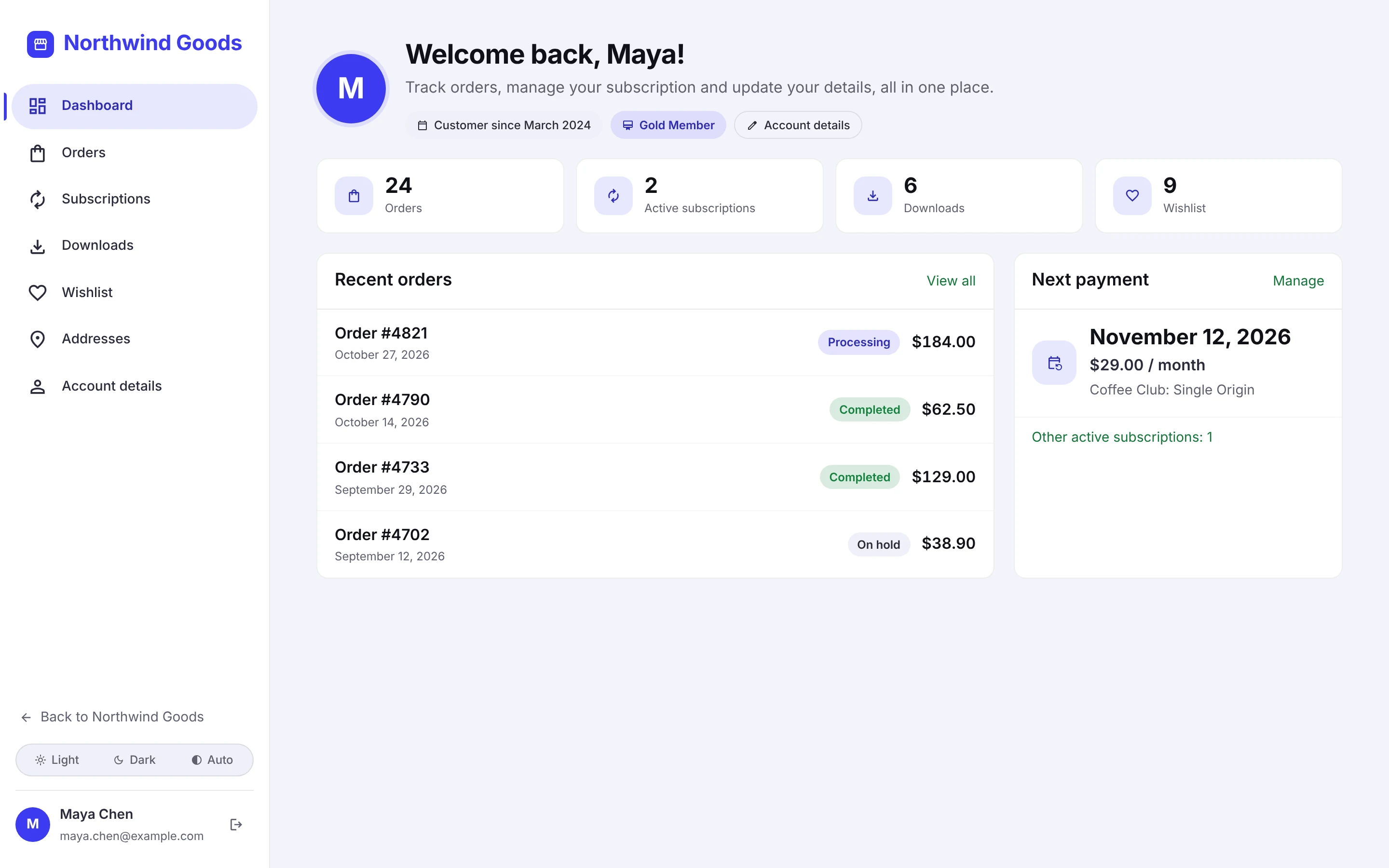
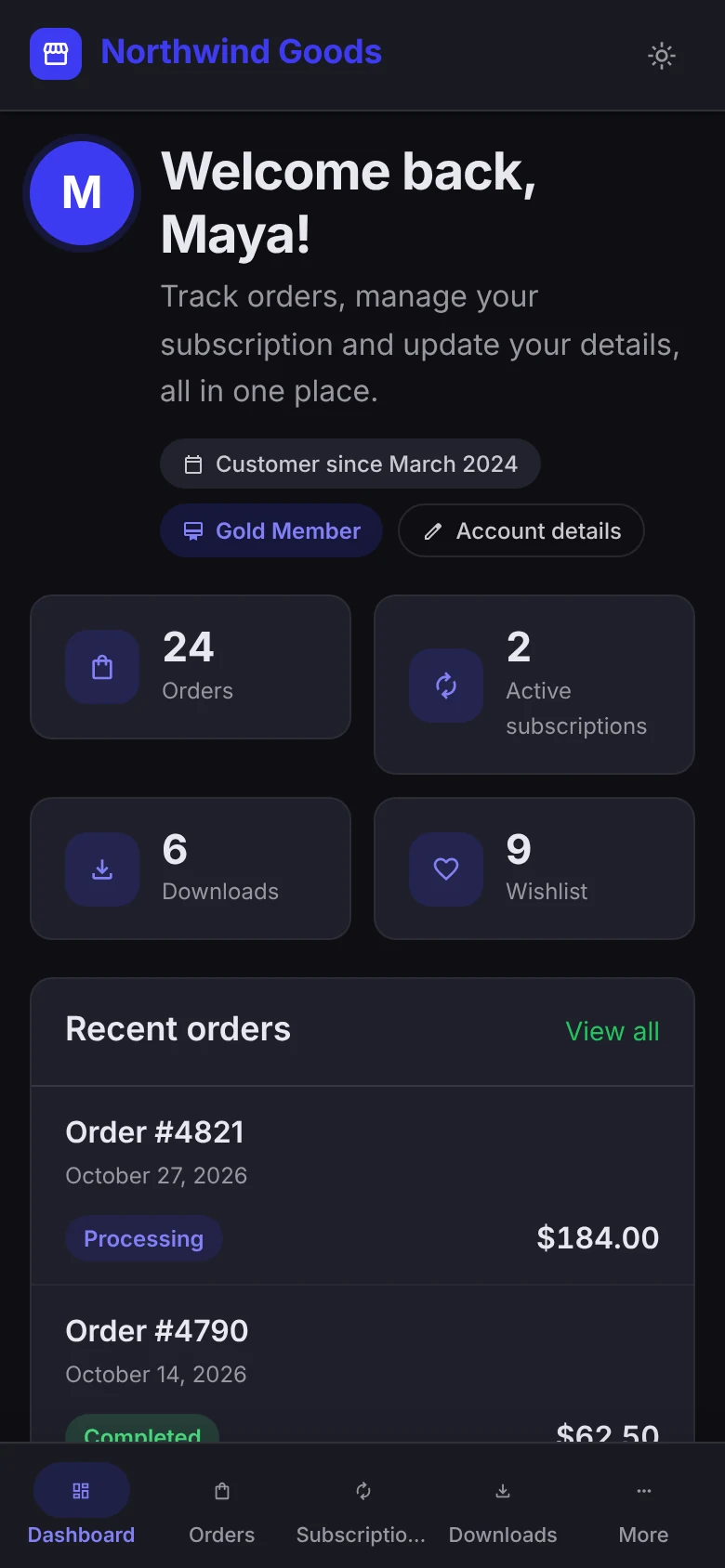
WC Account Portal replaces the default WooCommerce My Account page with a full-screen, app-like portal: dark mode, a dashboard you can build, order tracking and a login page that matches your brand.
No theme changes · 20 languages and RTL · Works with 31 subscription, membership, B2B and other plugins
Before and after
Same store. Same orders. One plugin.
Drag the handle to compare a typical theme's My Account page with WC Account Portal. Nothing else on the store was changed.
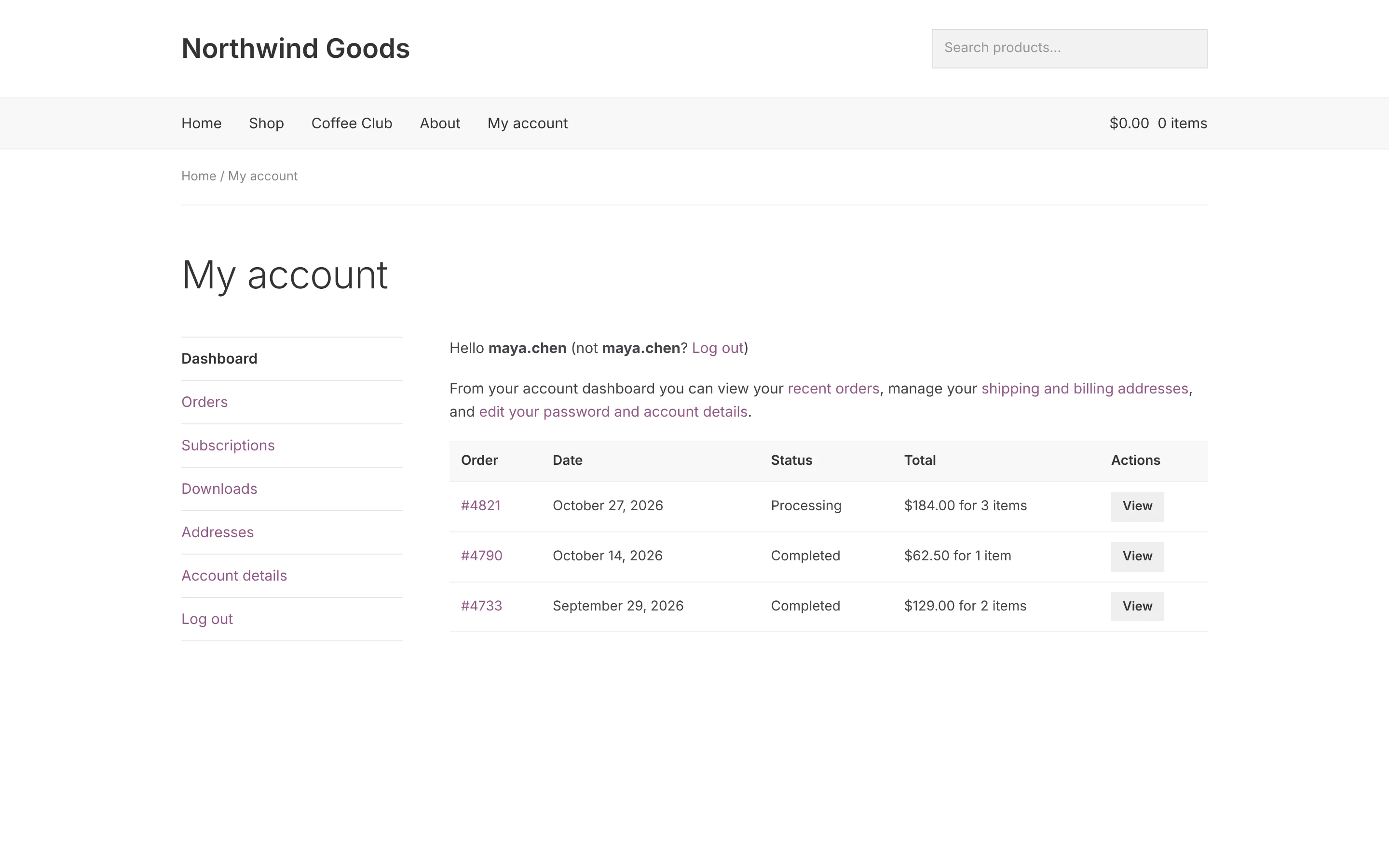 Before: default WooCommerce After: WC Account Portal
What you get
Everything your customers come back for, in one place.
Set it up from one settings screen. No code, no page builder, no theme edits.
Full-page portal
Your theme's header and footer step aside, so the account area feels like an app with its own clean layout.
Dashboard builder
Drag, resize and switch widgets: profile card, summary boxes, next payment, recent orders, buy again, help and your own content.
Menu your way
Sidebar, top tabs, icon rail or floating dock on desktop. Rename, reorder, add pages and choose who sees each item.
Orders customers can follow
Progress steps, shipment tracking, search, status filters and one-click Buy again.
Different layouts for different customers
Give wholesale buyers, members or any user role their own dashboard and menu.
Every language, both directions
20 translations included, full right-to-left support, and WPML and Polylang work out of the box.
Upgrade your My Account page today.
Every feature in every plan. Install, pick your colour, and your customers see the new portal on their next visit.
Your brand, light or dark
Pick one colour. The whole portal follows.
Upload your logo, choose your brand colour, and customers can switch between light, dark and auto. Want a closer match? Copy the built-in AI prompt, paste back the CSS, and the account and login pages take on your brand.
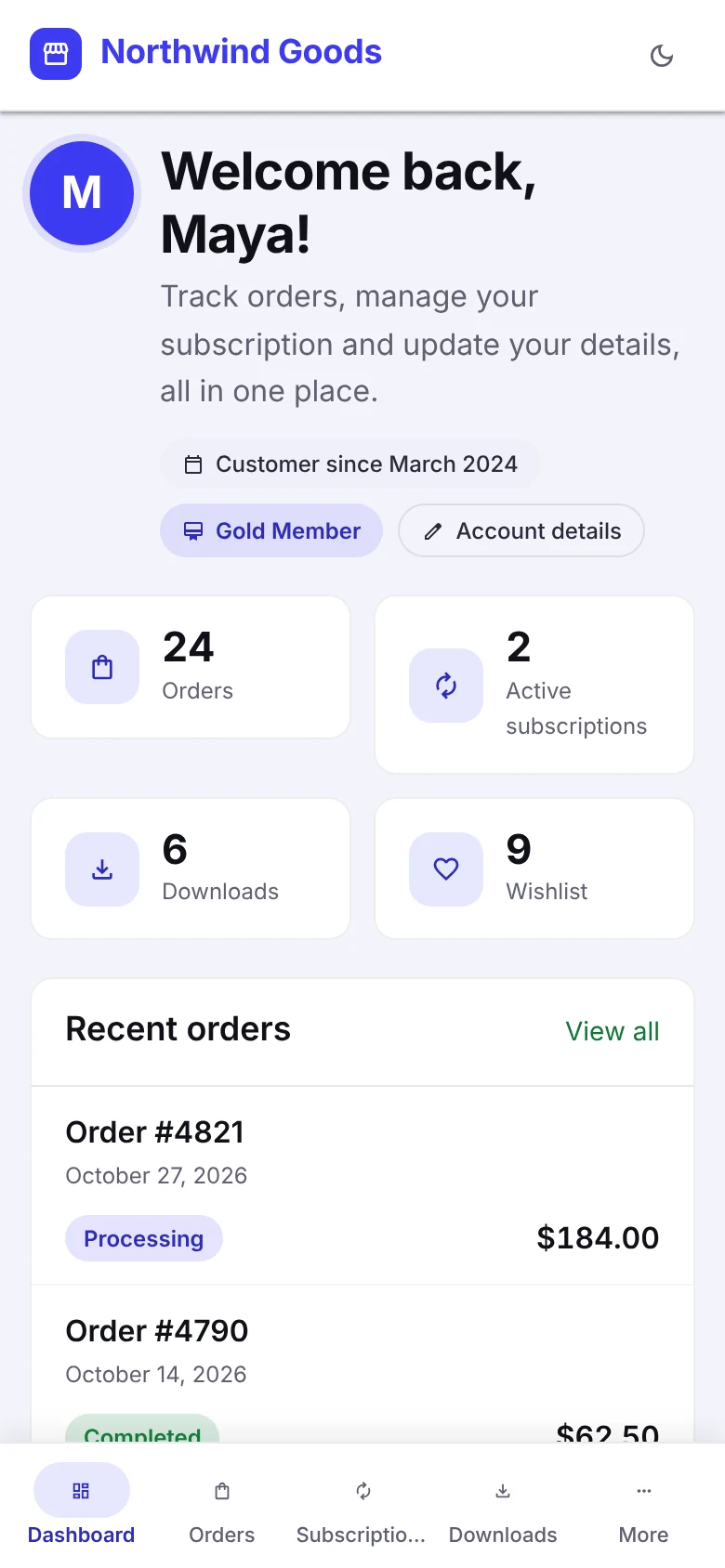
Made for phones
Feels like an app in your customer's pocket.
Most customers check their orders on a phone. Give them a slide-in menu or a bottom tab bar, and let them add your store to their home screen.
- Slide-in menu or bottom tab bar, your choice
- Add to home screen, with your icon and colours
- Light, dark or automatic, following the phone
- Large tap targets and readable text throughout

Login and security
A sign-in page that looks like your brand, and keeps bots out.
Login, registration and password reset all get the portal design. Protect them with hCaptcha, reCAPTCHA v2 or v3, or Cloudflare Turnstile, or add passkeys and two-factor login with Nahnu Login Shield.
Your customers will notice the difference on their next visit.
Click around the demo store as a customer, then switch to the settings and make it yours.
